
GPT style reference
Curtain bangs
A center opening with longer pieces framing the cheeks.
Virtual bangs try-on
Upload your portrait, then choose from 12 bangs references or upload a fringe photo you like. Compare the preview with your original before you cut.
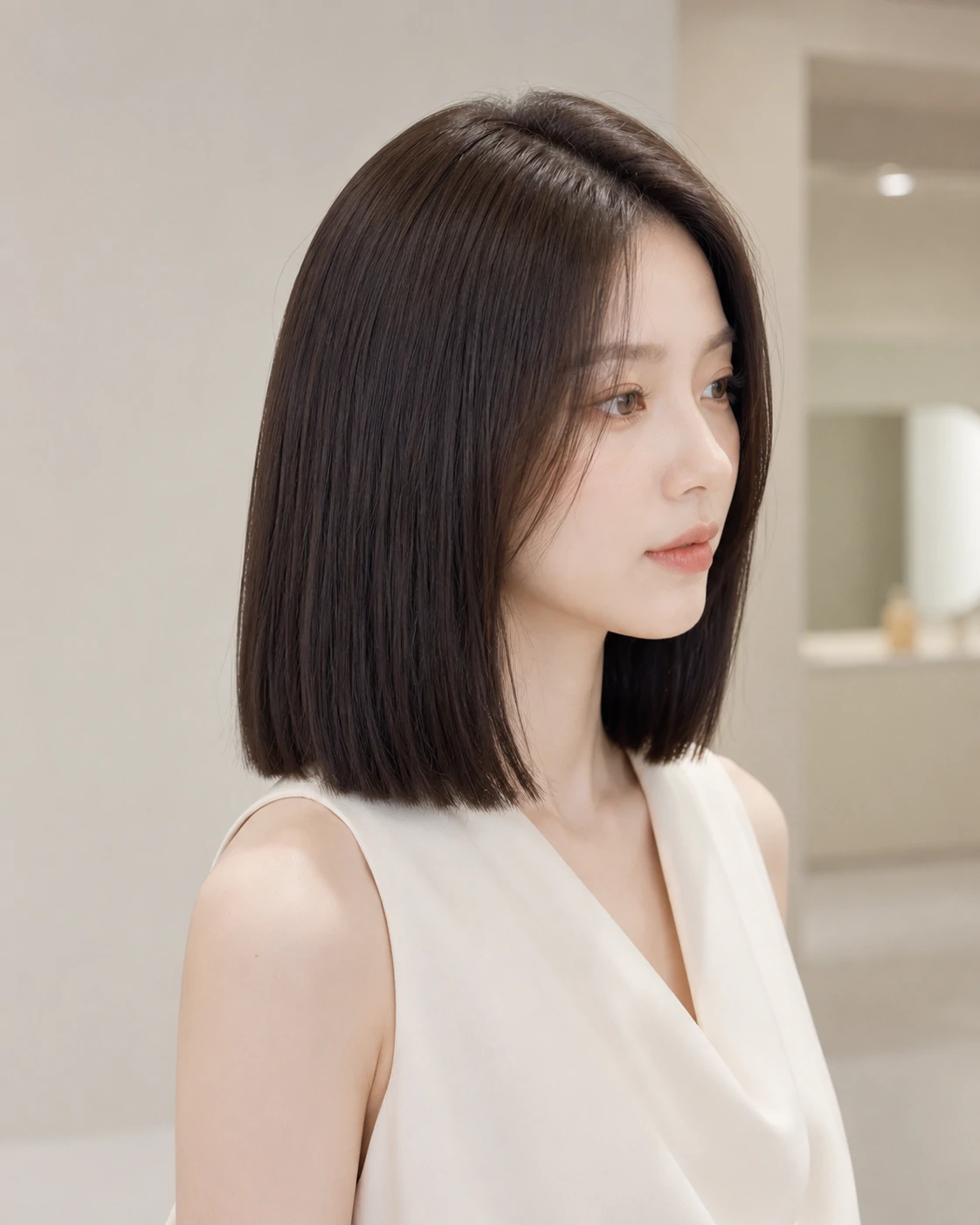

Actual tool output
GPT style reference. Apply the fringe to your photo, keeping your color and remaining length.
This preview focuses on your fringe. Check that your original hair length and color still look right in the result.
Guests can try up to 2 hairstyle previews, subject to trial limits. Each signed-in bangs preview uses 3 credits. An automatic backup attempt does not cost extra.
Result
Your bangs preview will appear here. Compare the fringe shape and face framing with your original photo.
See the four presets on one sample portrait. Start with the actual outputs, then explore the reference gallery for other hair textures.
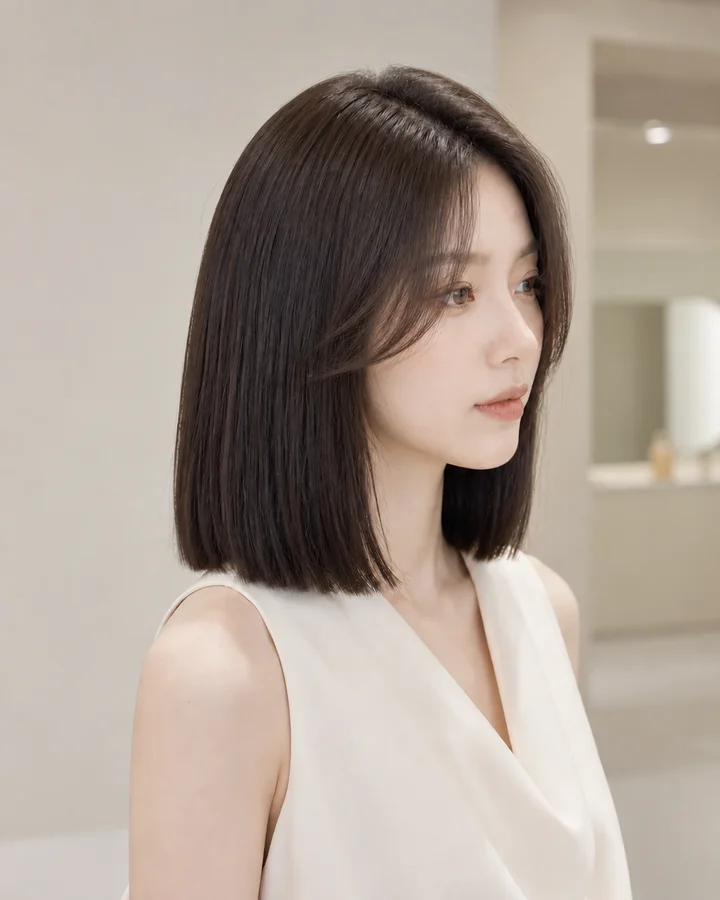
Actual tool output
These previews were generated from the same sample photo using four presets on this page. Compare the face, original color and shoulder-length cut alongside the fringe.
A subtle center opening with longer strands at the cheeks.
One sample photo does not predict every result. AI may change small details; inspect your own preview before using it as a salon reference.
Compare four fringe shapes across five hair profiles. These are original GPT-created reference illustrations, not results from this tool. Use them to choose a direction, then upload your own photo for a personal preview.
Filter reference cases by fringe
Filter reference cases by hair
20 of 20 GPT reference comparisons
Notice the center opening and longer pieces beside the cheeks.
Compare the spaces between the fine strands with the original open forehead.
The straight lower edge gives more coverage without shortening the sides.
The diagonal line leaves one side of the forehead more open.
The two sides follow the existing waves around the cheeks.
A lighter fringe adds forehead coverage while the waves remain visible.
Compare the fuller front edge with the softer waves at the sides.
Watch where the sweep joins the waves rather than changing the whole cut.
The center opening keeps the shape light around the face.
Separated strands show the lightest coverage in this set.
The fuller line uses more of the front hair; discuss density with your stylist.
A single sweep changes the framing while leaving the fine lengths visible.
A center gap separates the face-framing curl clusters.
Spaced curls cover the forehead without forming a solid straight fringe.
The curl ends make a fuller front edge; real curl shrinkage can change its length.
The front curls move toward one side while the surrounding texture stays curly.
The longer sides frame the face without hiding the center of the forehead.
A light fringe adds coverage with gaps between the silver strands.
Compare the defined front edge with the softer shape of the original cut.
The side part and diagonal sweep give a different balance around the eyes.
A fringe changes the way your forehead, eyes and cheekbones are framed. Use the same source photo to compare a softer opening, a lighter fringe or a stronger straight line.
GPT style reference
A center opening with longer pieces framing the cheeks.
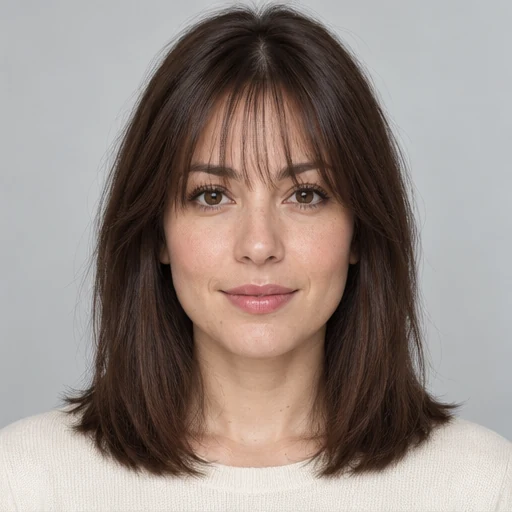
GPT style reference
A light fringe with space between the strands.
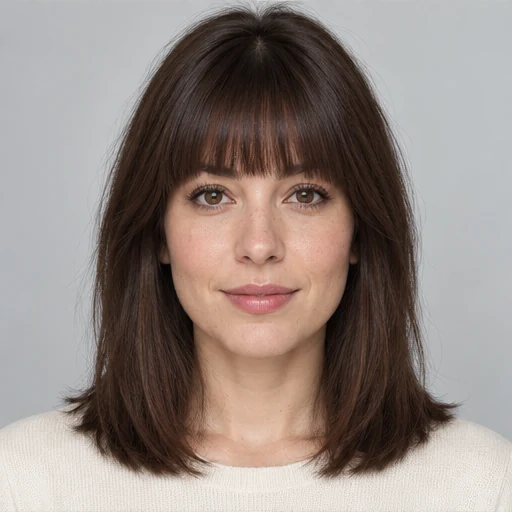
GPT style reference
A fuller fringe with a straight line above the eyes.
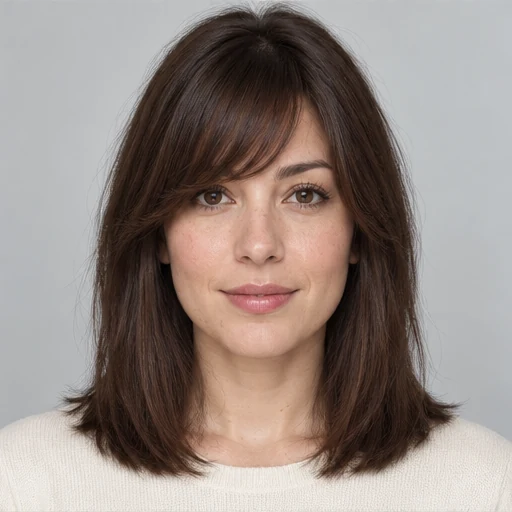
GPT style reference
A diagonal fringe that blends toward one side.
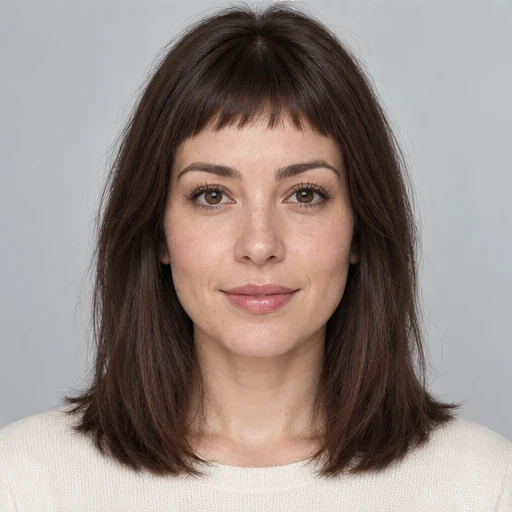
GPT style reference
A short micro fringe well above the eyebrows.
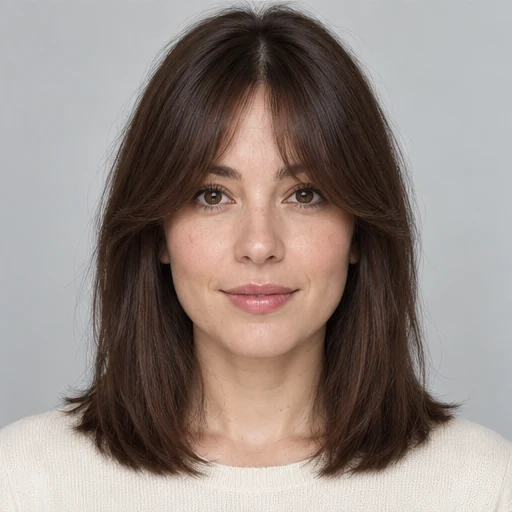
GPT style reference
A narrow center that curves into longer sides.
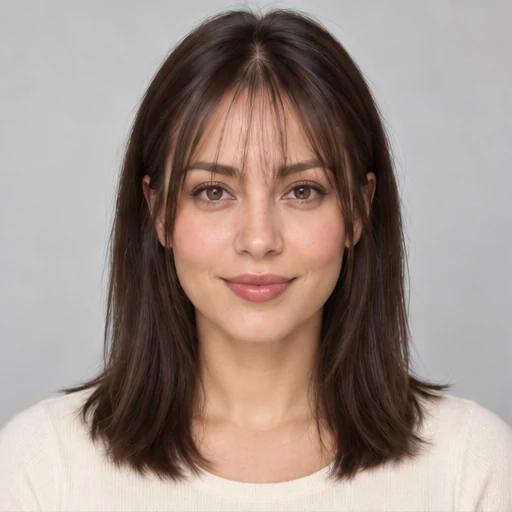
GPT style reference
Very fine front strands with the forehead visible.
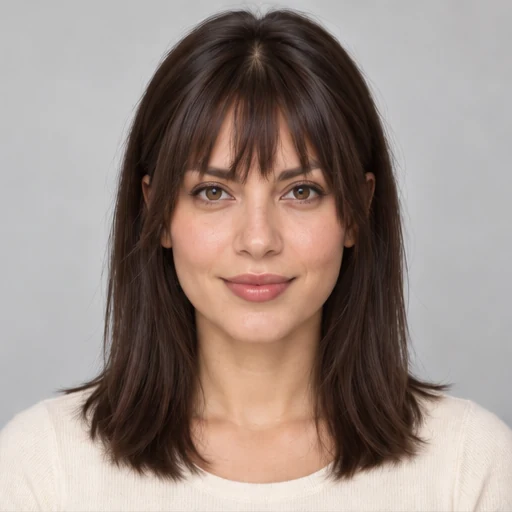
GPT style reference
Textured pieces with a deliberately uneven edge.
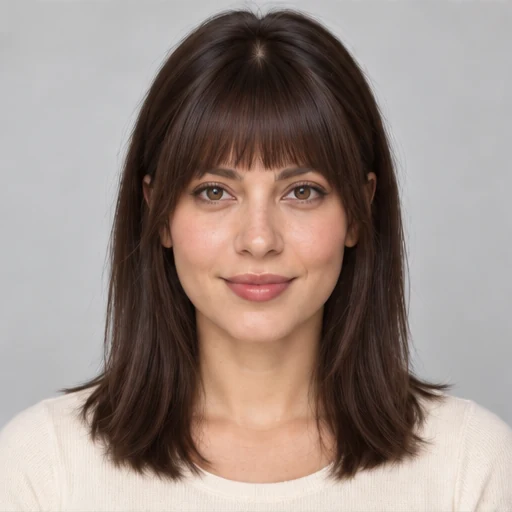
GPT style reference
A rounded fringe, shorter in the middle and longer at the sides.

GPT style reference
Relaxed brow-length pieces with a soft separation.
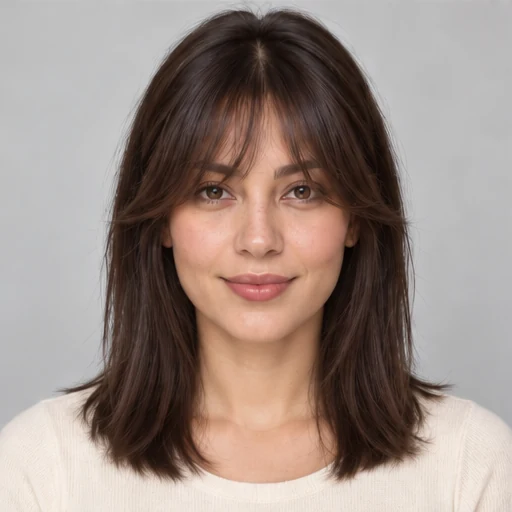
GPT style reference
Longer front pieces that taper around the eyes and cheeks.
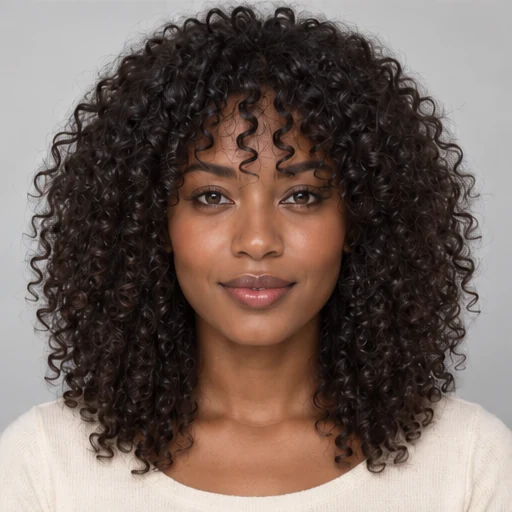
GPT style reference
A front fringe made from natural curl clusters.
Curtain bangs part near the center and blend into longer pieces around the face. Use this preset to compare a more open forehead with a fuller fringe. Your natural part, hair texture and styling routine still matter when you discuss the cut with a stylist.
Choose a photo with even light and a visible forehead. Avoid hats, sunglasses and strong beauty filters. Upload only photos you own or have permission to use.
Browse 12 bangs styles or upload a photo showing the fringe you want. Generate one preview, then return to the same source photo to compare another option.
Check the fringe length, part and face framing. Compare the result with your original, then download a useful preview as a reference for your stylist.
The same fringe shape can fall differently on straight, fine, wavy and curly hair. Compare the outline in a preview, then discuss how your natural hair would behave after a cut.
Compare the gaps in wispy bangs with the fuller edge of blunt bangs. An image can add density that your hair may not have; ask how much front hair a real cut would need.
Look at where curtain or side-swept bangs meet the surrounding waves. A shorter fringe may need different drying or styling from the rest of your hair.
Keep the curl pattern visible in your photo. A preview cannot measure shrinkage or predict the exact length of a dry curl. Discuss fringe length in both its wet and dry state.
This mode focuses on the fringe. Compare how it joins the sides of your existing cut; use the main hairstyle tool if you also want to explore a bob, shorter cut or new color.
The forehead and front hairline are the important parts of a bangs preview. A clear source photo makes changes easier to judge.
A convincing image is only a starting point. Look closely at your face, hairline and hair color to check that the preview still resembles your photo. Then consider your natural texture, cowlicks, daily styling and how often you want to trim the fringe.
Compare how much of your forehead is covered, whether your eyes remain visible, and where the sides of the fringe meet your cheeks.
Straight, wavy and curly hair can fall differently after a cut. Ask a stylist what styling would be needed to recreate the shape.
Save the option you prefer and note what you like: the center opening, lightness, length or side sweep. Describe those details alongside the image.
Save a preview you like and explain the details that matter to you. The image helps start a conversation; a stylist can check whether the shape suits your hair and routine.
Yes. Upload your photo, choose a fringe and generate a preview. Compare it with your original portrait to judge the shape around your face. An AI preview is a visual reference, and the final haircut can look different.
Choose from 12 illustrated references: curtain, wispy, blunt, side-swept, baby, bottleneck, see-through, choppy, arched, French, long layered and curly bangs. You can also upload your own bangs reference. The preview focuses on the fringe; use the AI Hairstyle Changer to change your overall haircut or color.
The bangs mode asks the AI to focus on the fringe while preserving your existing color and the rest of your hair length as closely as possible. AI edits can still change details, so check the preview before using it as a reference.
Guests can use up to 2 available hairstyle trials without signing in, subject to trial limits. Each signed-in bangs preview uses 3 credits, including an automatic backup attempt if needed. Daily check-in options and paid plans are explained on the pricing page.
The four previews in the real tool section were generated from one sample portrait using this page's presets. The 12 style-picker images and 20 comparisons in the hair-type gallery are GPT-created reference illustrations. They show possible fringe shapes; upload your own photo to see your tool result.
Yes. Open the page in your browser and choose a photo from your device. You can also use it on a desktop computer.
Use a sharp portrait with even lighting, your face looking toward the camera and your forehead visible. For an optional bangs reference, choose a photo showing one person's front fringe clearly; it is used for the fringe shape, not their face or hair color. Upload only photos you own or have permission to use. JPG, PNG and WebP files are supported up to 10 MB each.
Your photo is uploaded for AI processing. Source uploads are scheduled for cleanup after 24 hours. Guest results are not saved to your site history. Signed-in free users keep saved results for 7 days, and paid users for 30 days. Read the Privacy Policy for more details.
No. Real bangs depend on your hair texture, growth pattern, styling and the final cut. Use the image to explain your preference, then ask a stylist what is practical for your hair.
Choose one style and compare it on your own portrait. Signed-in previews use 3 credits, including an automatic backup attempt if needed. Guests can use available hairstyle trials.
Thinking about more than a fringe? Use the AI Hairstyle Changer to compare haircut shapes, lengths and hair colors.